


APhone - Second Phone Number
3.377.00 Reviews
App Specs
- Version
- 2.0.9
- Updated On
- License
- Free
- Downloads
- 1,000,000+
- Developer
- Senatel Ltd
- Categories
- Communication
- Platform
- Android, iOS
Screenshots
 Analysis by AppCompare
I find a second number most useful when it creates a clear boundary, not simply when it adds another way to be reached. That distinction matters for APhone - Second Phone Number: it is a communication app from Senatel Ltd for people who want calls and texts on a separate line while keeping their existing number for the rest of life. I would consider it for client inquiries, marketplace conversations, or a short-term project, but I would first decide how I plan to manage that second stream of messages.
Readability and finding your way around
The appeal here is practical: the app puts another number on the smartphone you already carry, rather than requiring a second handset. The published version is 1.2.5, and the stated minimum Android requirement is 6.0. In my view, a straightforward interface is especially valuable in a second-line app because the point is to make a separate channel easier to manage, not to add a complicated communications system to your day.
Still, simple navigation is not the same as automatic organization. Before sharing the number widely, I would decide what belongs on it and establish a routine for checking it. For example, a freelancer could give it to new clients and review its missed calls at set points during the workday, while leaving the personal number for friends and family. That habit makes the separation useful even when both lines live on one device.
Motor and sensory considerations
Using one phone instead of carrying two can make everyday handling easier, particularly when you need to keep your hands free or have limited room in a bag. Calls and texts are familiar ways to communicate, and a separate voicemail can help distinguish messages intended for the second line. Custom ringtones may also help identify an incoming call without immediately opening the app, though I would treat that as a cue rather than a guarantee that I can identify every notification correctly.
There is a trade-off: an extra line can mean extra alerts and more moments spent switching attention. If calls are disruptive, I would be selective about whom I give the number to and when I check its voicemail. People who rely on particular display, sound, or assistive settings should test the actual call and message flow on their own device before making this their main work channel; a second number does not, by itself, remove the usual demands of reading a screen or responding promptly.
When a second line fits real life
I’d use this section to think beyond having a second number and consider how it fits the way I already handle calls and messages. Choosing one clear purpose for the line—such as marketplace exchanges or a defined project—can make it easier to decide what deserves an alert and when to check in.
Situational access and everyday boundaries
A realistic use is selling a used item online. I could share the second number with prospective buyers, coordinate pickup by text, and keep the number I use with family out of that exchange. The same approach can work for a temporary project or a small freelance workload. The useful boundary is not that every conversation becomes private; it is that I can choose which number to share and later stop using that channel for new contacts.
Worth Reading Before You Choose

Flipboard Shows What News Apps Must Do Beyond the Feed

Switching to Android Auto Means Rethinking Your Driving Routine

Google Calendar Makes a Crowded Week Easier to Manage

Ludo King Makes the Most of the Minutes Between Plans

Baby Panda World Brings Quick Play to Modern Phones, but Its Game Library Feels Busy

ESPN’s Live Game View Makes Following Close Games Easier
For business use, I would also think through continuity. If a client needs to reach me urgently, a second line only helps if I remember to check it and can take calls when expected. A separate voicemail can make it easier to sort messages, but it does not replace a clear response-time expectation. For personal use, the reverse may be preferable: keep the second line for people or transactions you do not want mixed into your everyday contacts.
How it compares with familiar alternatives
Compared with carrying a second physical phone, an app-based line is appealing because there is no extra handset to charge or keep nearby. A separate SIM or dual-SIM setup may suit someone who wants another mobile line integrated into the phone’s usual calling arrangements, while a messaging service may be enough if the need is only text-based. APhone makes more sense when the goal is a distinct number for both calls and texts without another device, but it is not automatically the best fit for every communication habit.
I would not treat a second number as a complete privacy shield. It can reduce how often I hand out my primary number, which is useful, but people I contact through the second line can still reach that line. Blocking unwanted callers is a helpful control mentioned for the app, yet it is a response to unwanted contact rather than a promise that it cannot happen. For sensitive work that requires formal account controls or a dependable company phone system, I would compare dedicated business services before relying on a consumer second-line app.
Costs, commitment, and practical checks
The app is free to download, with in-app purchases priced from $1.99 to $24.99 per item. I would check the available purchase terms in the app before building a routine around the number, especially if I expect to keep it for ongoing client work. A low-friction trial can be useful for testing whether the call and text workflow suits me, but I would not assume that a number will remain available on the terms I want without reviewing the current options.
It has an average rating of 3.0 from around 3,500 ratings, alongside 69 written reviews, and has been installed over a million times. I read that as a reason to test it against my own needs rather than treating popularity as proof of reliability. The age rating is Everyone, but that does not answer whether a particular number can receive the verification message for a service: I would check the service’s rules and test the intended workflow before depending on it for account access.
Remaining barriers and who may prefer something else
Internet quality is an important practical constraint for calls, and the original line’s separate voicemail or ringtone cannot make a weak connection stronger. If I expect to take important calls in places with unreliable internet, I would keep a dependable alternative available and avoid promising instant access through this number. Frequent travelers should also check whether the service works in the places where they need it before sharing the number as a permanent contact point.
This is not the option I would choose if I wanted one unified inbox with no extra channel to monitor, or if I needed a guaranteed emergency line. It may also be a poor match for someone who dislikes app notifications or finds it difficult to remember which number they used in a conversation. A small note in a contact record—such as “marketplace” or “client line”—can prevent confusion later, and I would use the second number consistently for a specific purpose rather than handing it out indiscriminately.
For verification texts, I would be cautious: services differ in what numbers they accept, and a second line should not be the only route to an important account unless I have confirmed it works and have a recovery method. That is a useful distinction between using the app for everyday separation and depending on it for security-critical access. If account recovery matters, retaining another trusted recovery option is more sensible than assuming any app-based number will be accepted.
An inclusive verdict
APhone is most compelling when one phone needs to serve two clearly defined parts of life. Its second number, calls, texts, voicemail, blocking, and ringtone controls give me several practical ways to separate incoming communication, while the app-based format avoids another device. At the same time, the extra channel asks the user to manage notifications, connection quality, and any ongoing purchase carefully.
Senatel Ltd’s communication app is free to start, rated for Everyone, and has more than a million installs, but those facts do not replace a personal test of readability, alert handling, and call quality on the device and network I actually use. I would recommend trying it for a bounded purpose first—such as one selling conversation or a project line—then deciding whether the separation is worth maintaining. If that small trial feels manageable, it can be a practical way to share less of my primary number; if it creates another inbox I struggle to keep up with, a simpler alternative is likely better.
Ever found yourself in a situation where you needed a second phone number? Maybe you're selling something online, or perhaps you want to keep your work and personal life separate. Whatever the case, APhone - Second Phone Number might just be the app you're looking for.
What is APhone All About?
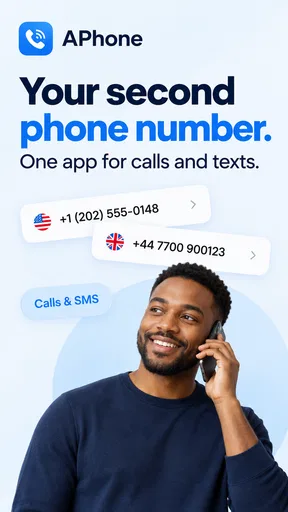
So, let's dive into what makes APhone tick. Essentially, it's an app that provides you with a second phone number. This can be a lifesaver for those moments when you want to keep your primary number private. It’s like having two phones in one device, and who doesn’t love a good multitasker?
Setting Up Your Second Line
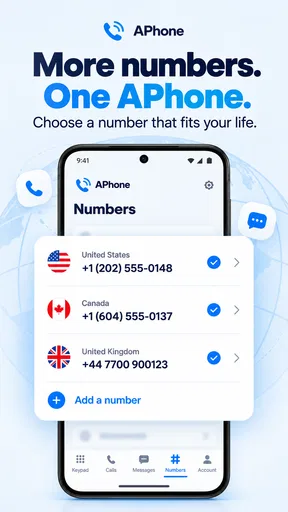
Getting started with APhone is a breeze. You download it, sign up, and boom—you’re on your way to having a second number. The interface is straightforward, which I really appreciate. No need to be a tech wizard to figure it out. Plus, you can choose from a variety of numbers, so you can even snag a vanity number if you’re feeling fancy.
Features That Stand Out
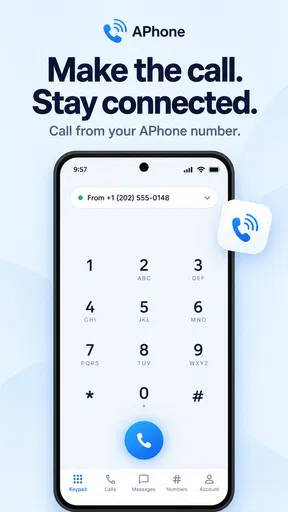
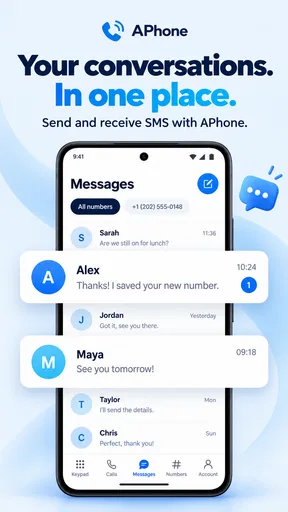
Now, what really sets APhone apart are its features. First off, you can make and receive calls and texts just like you would with your main number. But here’s the kicker: you can do all this without any additional hardware. Just your trusty smartphone and a good internet connection.
Another feature I found super useful is the voicemail function. You can set up a separate voicemail for your second number, ensuring that your messages are organized and easy to manage. And if you're someone who likes keeping things tidy, this is a massive win.
Privacy and Security
Privacy is a big deal for me, and APhone seems to get that. The app doesn’t just give you a second number; it ensures that your personal information stays personal. You can block unwanted callers and even set custom ringtones, so you know who’s calling without even looking at your screen. It’s these little things that make a big difference.
Perfect for Business and Personal Use
Whether you’re a freelancer needing a separate line for client calls or someone who just wants to keep their dating life separate from their family group chats, APhone has got you covered. It’s versatile and adapts to your needs, which is what we all want from an app, right?
Room for Improvement?
Of course, no app is perfect. While APhone does a stellar job, I did notice that call quality can vary depending on your internet connection. So, if you're in a spotty Wi-Fi area, you might experience some hiccups. Also, while the app offers free trials, you'll need to subscribe for long-term use. But hey, quality often comes at a price.
Another point to consider is the app’s availability in different regions. It’s always a good idea to check if your area is supported, especially if you travel frequently.
Final Thoughts
All in all, APhone - Second Phone Number is a solid choice if you’re on the hunt for a reliable second line. It’s easy to use, packed with useful features, and it respects your privacy, which is a huge plus in my book. So, if you’re in need of some digital separation, this app might just be your new best friend. Give it a whirl and see how it fits into your life.
Pros
- Easy to set up and use.
- Affordable pricing plans.
- Offers voicemail feature.
- Supports multiple numbers.
- High-quality voice calls.
Cons
- Limited international coverage.
- Occasional app crashes.
- Ads in free version.
- No desktop version available.
- Limited customer support hours.
FAQs for APhone - Second Phone Number
What is APhone - Second Phone Number and how does it work?
APhone - Second Phone Number is an app that allows users to have an additional phone number without needing a second phone. It works by providing a virtual number that can be used for calls, texts, and voicemails. This is ideal for those who need a separate line for business, online dating, or privacy purposes.
Is APhone - Second Phone Number available for both Android and iOS devices?
Yes, APhone - Second Phone Number is available for download on both Android and iOS devices. You can find it on the Google Play Store for Android users and the Apple App Store for iOS users. This ensures compatibility across a wide range of smartphones and tablets.
How secure is my information with APhone - Second Phone Number?
APhone - Second Phone Number prioritizes user privacy and security. It uses encryption to protect your data and ensures that your personal number remains private. The app also offers features like call blocking and spam filtering to enhance security and user experience.
Are there any subscription fees or in-app purchases involved with APhone?
While APhone - Second Phone Number offers a free trial, it operates on a subscription-based model for continued use. There are various plans to choose from, offering different levels of service. Some features, like additional numbers or minutes, may require in-app purchases.
Can I choose my own second phone number with APhone?
Yes, APhone allows you to select a number from a list of available options, which can include different area codes. This flexibility is beneficial for those who wish to have a local presence in a specific region or for those seeking a memorable or specific number.


